A calm posture app for MacBy 4pm, your neck already knows.
BetterPosture is a free posture app for Mac. It lives in your menu bar and nudges you when you start to slouch. Twenty seconds to calibrate. Camera frames never leave your Mac.

Pose detection on your Mac
Block it in Little Snitch and the nudges keep coming.
No video stored or uploaded
Each frame is read into memory, then gone.
One menu bar icon
No dock icon, no window stealing focus.
What is actually happening
Your head weighs eleven pounds. Until you tilt it.
You do not feel the drift. Your neck, your lungs and your mood do. Here is what the research measures while you are busy working.
Load on the neck, by head tilt
Modelled compressive force on the cervical spine. Sixty degrees is the laptop slouch.
A biomechanical model, not a measurement on people, so read it as a trend rather than a scale. Hansraj, Surg Technol Int 2014
Breathing
Slumped vs uprightFunctional residual capacity drops by about a fifth in a slumped sit. Forced vital capacity falls around 9 to 11%.
Mood under stress
Randomized trial, n = 74Taped upright, people reported higher self-esteem, better mood and less fear during a stress test than people taped slumped. Slumped participants used more negative words.
Headaches
CervicogenicRoughly one in four office workers is expected to have the neck-driven kind.
Office workers reporting neck pain each year
34 to 49% develop it new each year. About 17% of those turn chronic. Source
Odds of neck pain, screen-based sitting
Meta-analysis, 2025. Employees sit at about 2×. Source
The fix everyone agrees on
Top of the screen at eye height, head neutral. The hard part is staying there at 3pm. OSHA
One small change. A different evening.
Nothing about the work changes. The chair, the deadline, the coffee are the same. The only difference is who notices at 1:47.
Without
Drifting from 1:47- 9:02Upright
You sit down sharp. Shoulders back, coffee hot.
- 1:47Drifting
Head has crept four inches toward the screen. You have no idea.
- 3:10Drifting
Breathing is shallow. The afternoon dip arrives early and stays.
- 6:20Drifting
You stand up. Neck tight, lower back dull. You cannot name when it started.
With BetterPosture
Upright- 9:02Upright
Same desk. Same coffee. Calibrated once, three weeks ago.
- 1:47Nudge
A small card: Head's drifted forward. Take a sec to reset? You do. Eight seconds.
- 2:55Nudge
Your assistant knows 3pm is your drift hour. Two minutes standing, before it hits.
- 6:20Upright
You stand up and nothing is tight. Progress says 74%, up 6 on last week.
In a six-month trial, office workers prompted to shift posture while sitting developed new neck pain at 15%, against 65% for the group left alone. It was a seat cushion, not an app, but the mechanism is the same: get noticed, then move. Cluster RCT, 2024
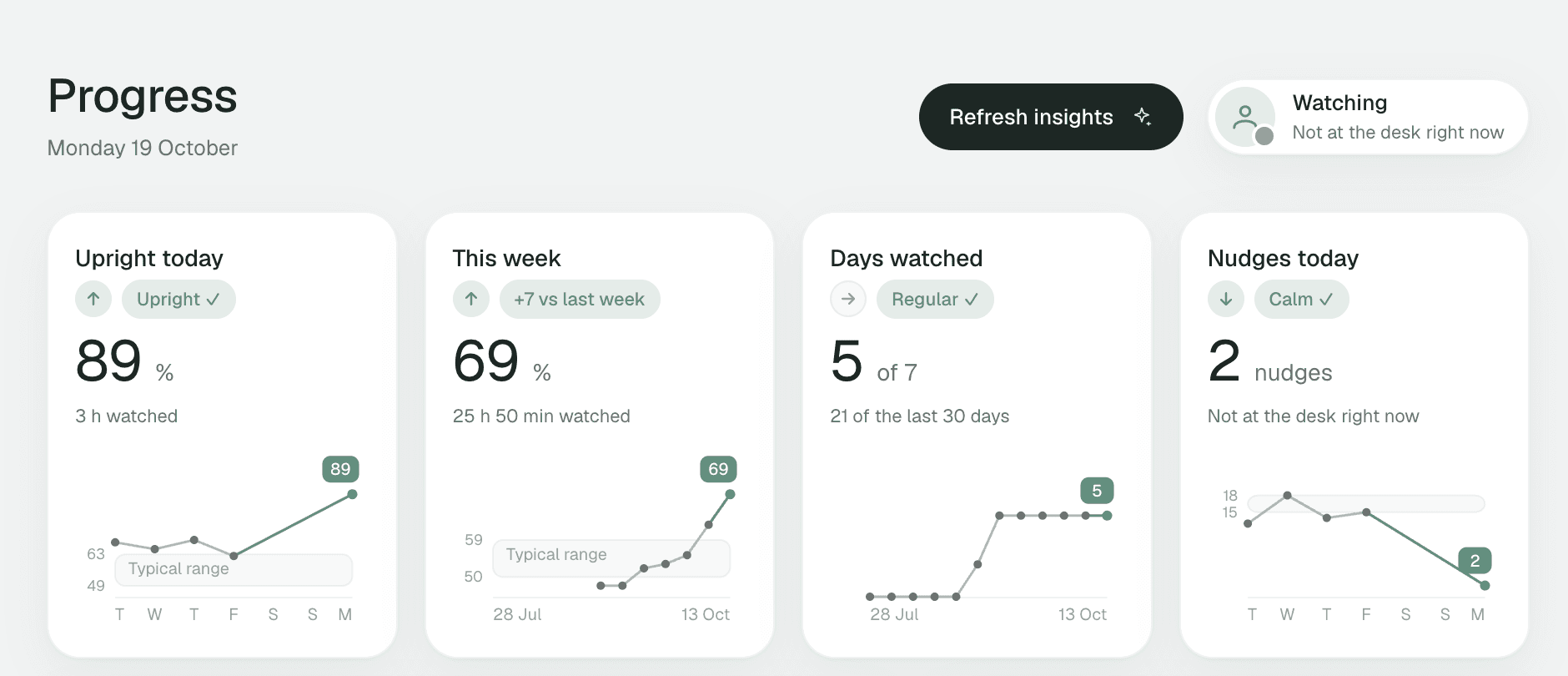
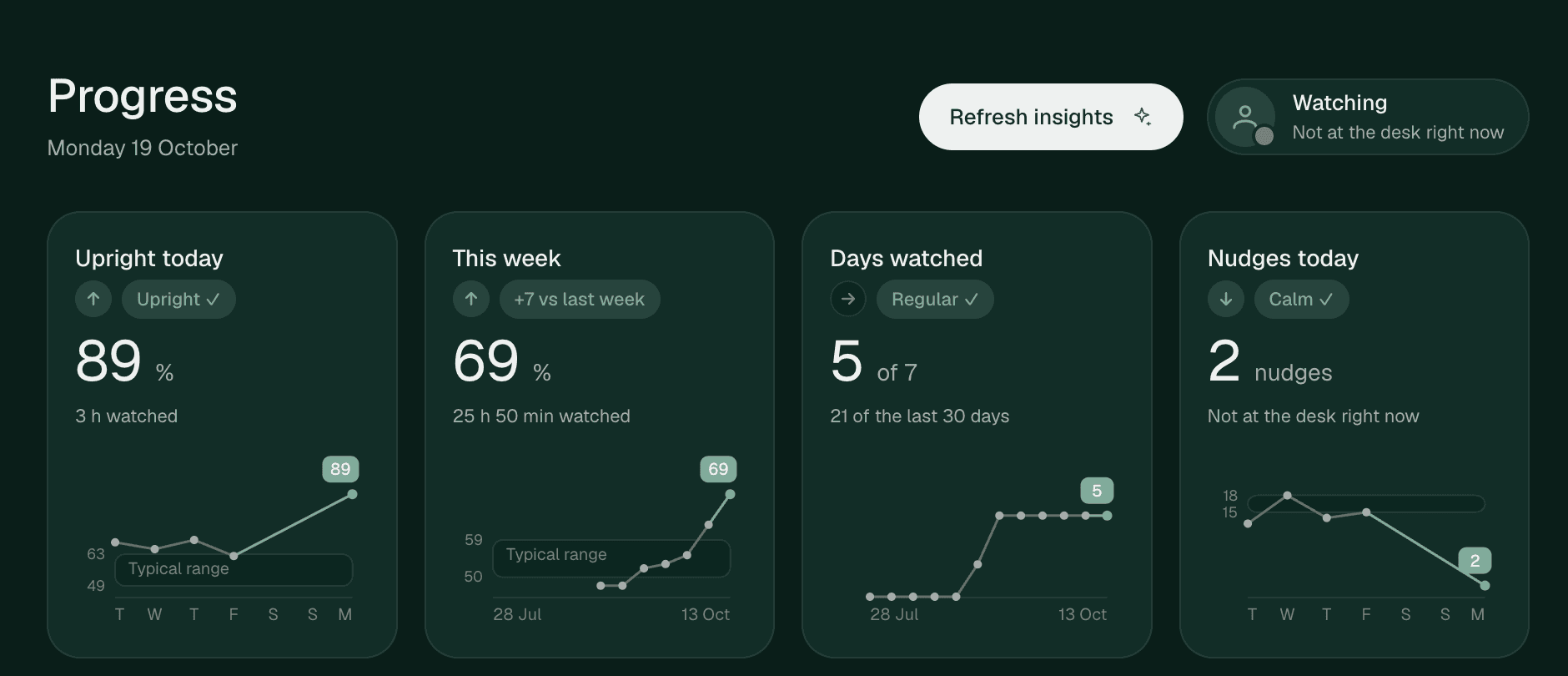
Four questions, answered in five seconds.
The Progress window comes with Pro. It is worked out on your Mac from the readings already stored there, so your history is waiting when you unlock it. No need to be perfect.
- How am I doing?
- Upright percentage for today, big, at the top.
- What did I get done?
- Hours watched, nudges, time in this sitting.
- Am I improving?
- This week against last, fourteen days of bars.
- What should I do next?
- One action, picked from today against your week.
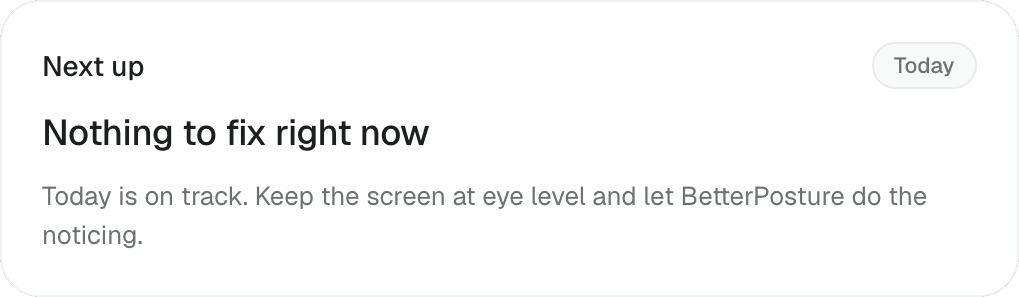
It knows your week. It never sees your camera.
The assistant lives in the Pro Progress window and works from your daily totals on your Mac, nothing more. It does four things, quietly, and only speaks when it has something worth saying.
Tells you the one thing to do
Reads today against your week and picks the single most useful move. Stand up. Raise the screen. Or nothing, because today is fine.
Updates quietly through the day.
Keeps your setup honest
Notices when the camera keeps losing you, when a new chair quietly changed things, or when it has been a while. Suggests a twenty second fix.
Works entirely on your Mac.
Finds your drift hour
Looks at a month of readings by time of day and names the hour where you slide. Then suggests a two minute reset right before it.
Needs a few hours of history.
Writes your weekly review
Three honest sentences on Monday: what the week looked like, what went well, one thing to try. From your totals, never from footage.
Lands on Mondays, from your own numbers.
How it works
Calibrate. Forget. Get a nudge.
Twenty seconds to set up. Then it disappears until you actually need it.
- 1
Calibrate once
Show your good posture and your slouch. About twenty seconds. Do it again for a laptop or standing setup if you use one.
- 2
Forget it's there
It lives in your menu bar and takes a quiet reading on its own schedule. It never opens a window or steals focus.
- 3
Get a quiet nudge
When your head drifts forward, one small overlay appears. Sit up, snooze it, or ignore it. It is gone in a moment.
A camera app you can actually leave running.
A camera tool earns the right to stay open by being verifiable, not by promising. Here is exactly what BetterPosture reads, and what it never does.
- From the camera
- Thirteen numbers per reading: where your head and shoulders sit, tilt, lean, and how sure it was
- The picture. The frame is gone the moment it is read
- When it looks
- Every five minutes by default, for a moment. The camera light tells you
- Recording. The camera is closed between readings
- Where it keeps things
- One plain database file in your Library folder. You can open it
- A synced copy of your individual readings
- On the network
- An update check, anonymous install and launch counts you can turn off, daily totals for the assistant only if you turn it on, and your purchase email and access records for Pro sign-in and refresh
- Frames, body points, single readings or your calibration
Compared
How BetterPosture is different
Most posture apps run on-device now. Good. Here is what still sets this one apart.
Many posture apps
- What good posture means
- One fixed threshold for everyone. An angled camera breaks it
- How it nudges
- A cat that meows, a screen that blurs, voice alerts, streaks
- Progress
- A streak counter you can lose on a Sunday
- Privacy you can check
- A promise on a landing page
- Price
- Up to $99.99 a year for software on your own Mac
BetterPosture
- What good posture means
- Calibrated to your own upright and your own slouch
- How it nudges
- One calm overlay. Snooze it anytime
- Progress
- Days watched, improvement, drift hour, with Pro. Nothing to break
- Privacy you can check
- Block it in Little Snitch. Nudges keep coming
- Price
- Free, including every setup you calibrate. Pro is a one time purchase
Every posture app for Mac, compared with sources, including where they win
Pricing
Free to use. One price to own.
The coach is free. Pro is a one time purchase, because software that runs on your own Mac should not charge rent.
Free
Available nowThe posture coach. Not a trial.
- Real-time posture detection, on-device
- Calibrated to your upright and slouch
- Free profiles that switch automatically, with manual override
- Calm overlay, snooze, menu bar only
- Your history saved on your Mac from day one
- No account needed
Pro
For when you want to see how you're doing.
- Everything in Free
- The full Progress dashboard
- Today and this week, with trends
- Last 14 days and twelve weeks
- Milestones and personal records
- Next up, built-in notes and a weekly review
- Sign in with your purchase email
- Refresh Pro online at least every seven days
No subscription. Updates for a year, keep what you bought.
Free for nudges and calibration. Pro for the Progress dashboard, with your history already waiting.
Questions, answered plainly.
Anything else, write to hello@betterposture.app.
The same as on Free: nothing from the camera, ever. Pro sign-in and access checks use your purchase email and access records. Saved Pro access lasts up to seven days before an online refresh is needed. The Progress dashboard, its notes and the weekly review are all worked out on your Mac. None of it is uploaded. The full list is on the verify page.
No. Pose detection runs on your Mac. Each frame is read briefly into memory and discarded. No frame is ever stored or uploaded.
Only what it needs: a small set of body points (shoulders, neck, head) per reading. The raw camera frame is gone the moment the reading is taken.
Very little, by design. It takes a short reading every five minutes by default, and checks more often only while you are drifting. Between readings the camera is closed. We have not published a measured CPU figure yet, so we will not quote one.
No. A calm overlay appears only when your head has actually drifted. No alarms, no streaks to fail, no shaming. Snooze it and it stays quiet.
Yes. Snooze it from the overlay itself or from the menu bar. It snoozes for ten minutes by default, and you can set anything from 1 to 60 minutes in Settings. You can also pause posture checks from the menu bar. Snoozes are visible and revocable.
Yes. You can pick which camera to use in settings. Built-in or external both work.
Yes. Detection, calibration, the overlay and snooze are free, for good. Calibrating for each of your setups is free too. Pro is a one time purchase that unlocks the Progress dashboard: trends, charts, milestones, records, notes and a weekly review. Your readings are saved from day one, so your history is there the moment you upgrade. There is no subscription for software that runs on your own Mac.
Yes, and it is free. Save a calibration for your desk, your laptop and standing. BetterPosture automatically picks a saved profile using your camera, displays and seating position. Similar setups can be hard to tell apart, so you can always choose a profile yourself.
Daily totals. Minutes watched, upright percentage, nudges, and how this week compares to last. Never a frame, never a body measurement. It runs entirely on your Mac and sends nothing anywhere. Its notes and weekly review are part of Pro.
No. There is a count of days watched, and any day counts, consecutive or not. You cannot break anything by taking a weekend off. Progress here is about improvement, not about not missing.
Right now. BetterPosture is a free download for Apple Silicon Macs on macOS 13 and up. Not on Apple Silicon yet? Leave your email and we will let you know when your setup is supported.
Not today. BetterPosture is a Mac app for Apple Silicon Macs on macOS 13 and up. If your Mac is not supported yet, leave your email and we will tell you when it is.
Built by one person who kept slouching.
BetterPosture is made by Jawwad ur Rehman, a software engineer who spends long days at a Mac. It started as a fix for his own neck and grew into something worth sharing.
It is new, so there are no reviews on this page yet. We would rather show nothing than something made up. Been using it? Tell us how it went.
Your shoulders called. They'd like a break.
Free. Lives in your menu bar. Shows you the numbers. Camera frames never leave your Mac.
Download for MacmacOS 13+, Apple Silicon. Signed and notarized, so it opens with a double-click.
Not on Apple Silicon?
Leave your email and we will tell you the moment your Mac is supported.